
Electronic prayer beads · Android
Count as long as you want. Your total stays.
Misbaha is a plain dhikr counter for Android: the counter never resets at 33 or 99, your total survives closing the app or restarting your phone — and it all works offline, with no ads.
Download the app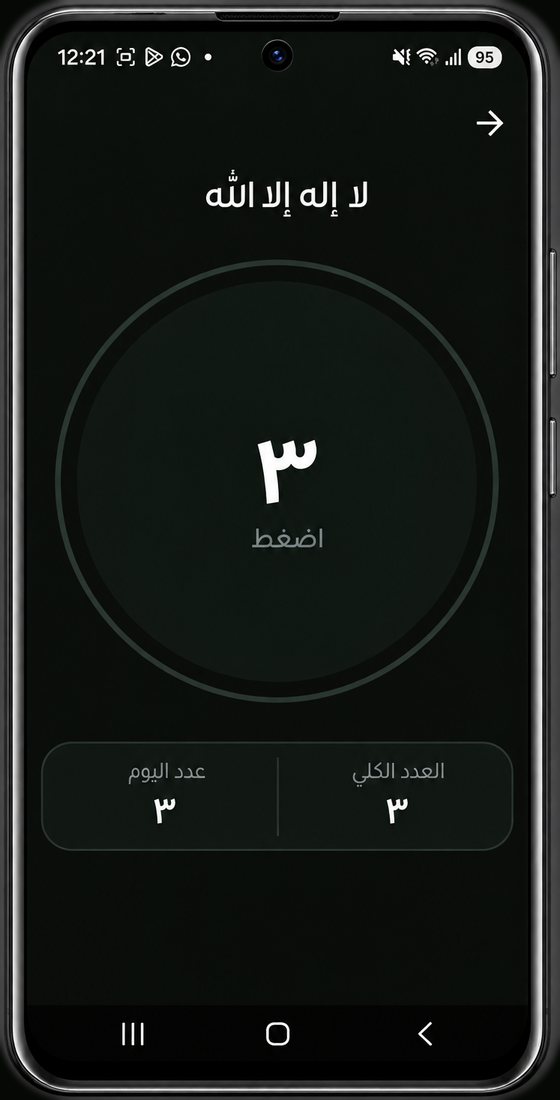
01 · Counting
The counter never resets itself to zero.
Most electronic tasbeeh apps stop you at 33 or 99 and start the count over. This one doesn't.
-
1
No limit
The counter keeps going with you: it never stops at 33, at 99, or at any number after them.
-
2
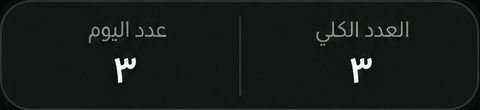
A permanent total
Every dhikr keeps a total that survives closing the app and restarting your phone, and only returns to zero if you reset it yourself.
-
3
Today's count
A separate count for today clears itself at midnight, so you can see what you counted today without touching your total.
02 · Tasbeeh al-Zahra (peace be upon her)
Three guided phases, 33 each.
A guided mode walks you through three titled phases: Subhan Allah 33 times, then Alhamdulillah 33 times, then Allahu Akbar 33 times. Finish a phase and the circle plays a short animation, then the app moves you to the next one.
- 33 سبحان الله
- 33 الحمد لله
- 33 الله أكبر
After the last phase, the cycle starts again.
03 · Adhkar
Six built-in adhkar, and room for yours.
The app ships with these adhkar ready from the first moment, and you can add your own.
- سبحان الله Subhan Allah
- الحمد لله Alhamdulillah
- الله أكبر Allahu Akbar
- لا إله إلا الله La ilaha illa Allah
- أستغفر الله Astaghfir Allah
- اللهم صلِّ على محمد وآل محمد Allahumma salli 'ala Muhammad wa aali Muhammad
Your own adhkar
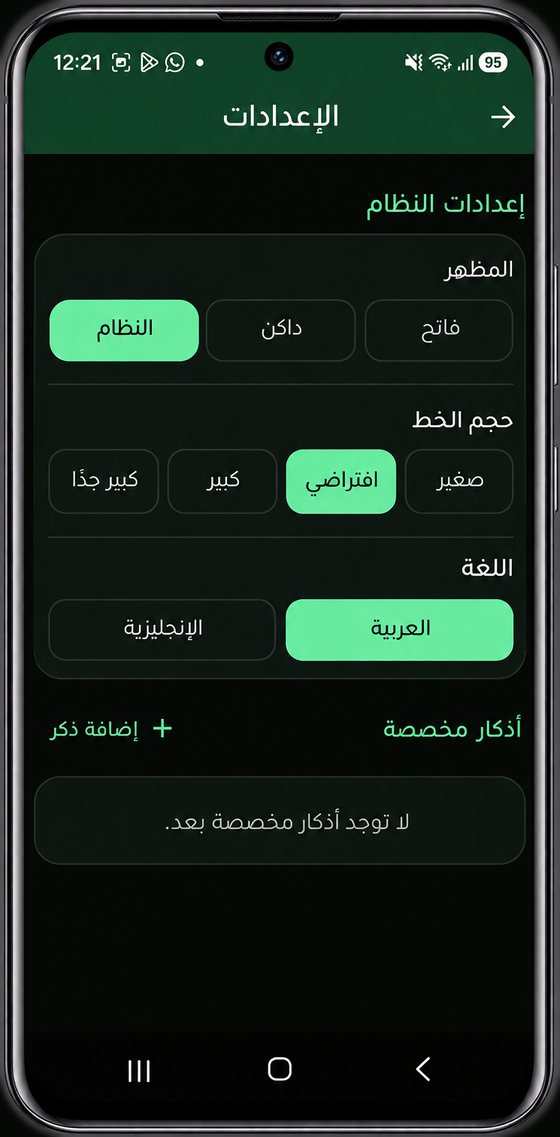
Add whatever adhkar you like — your family's, your children's — and edit or delete them whenever you want. They behave exactly like the built-in ones: each keeps its own permanent total and its own today's count.
04 · Inside the app
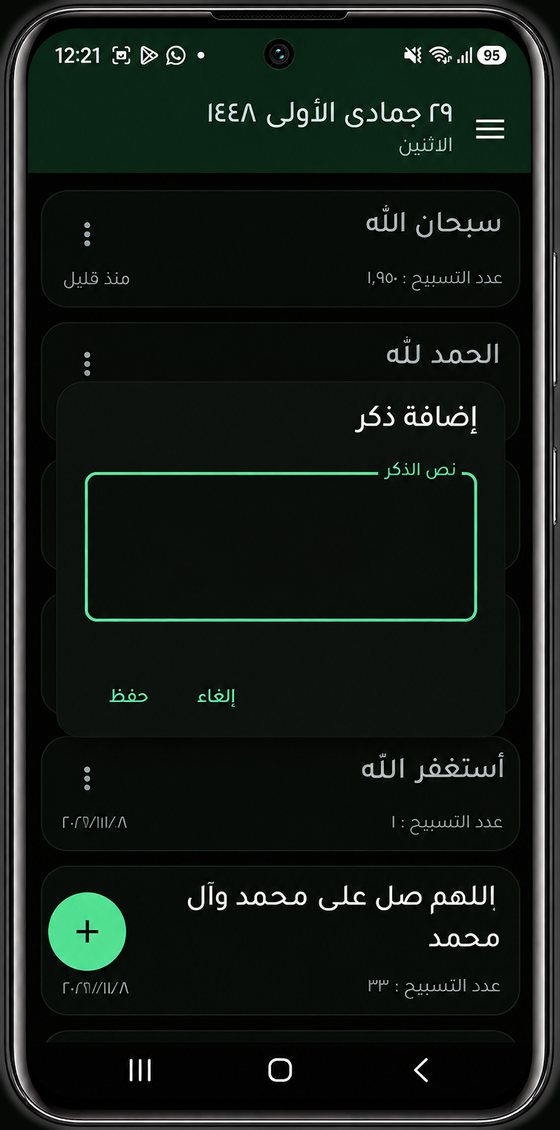
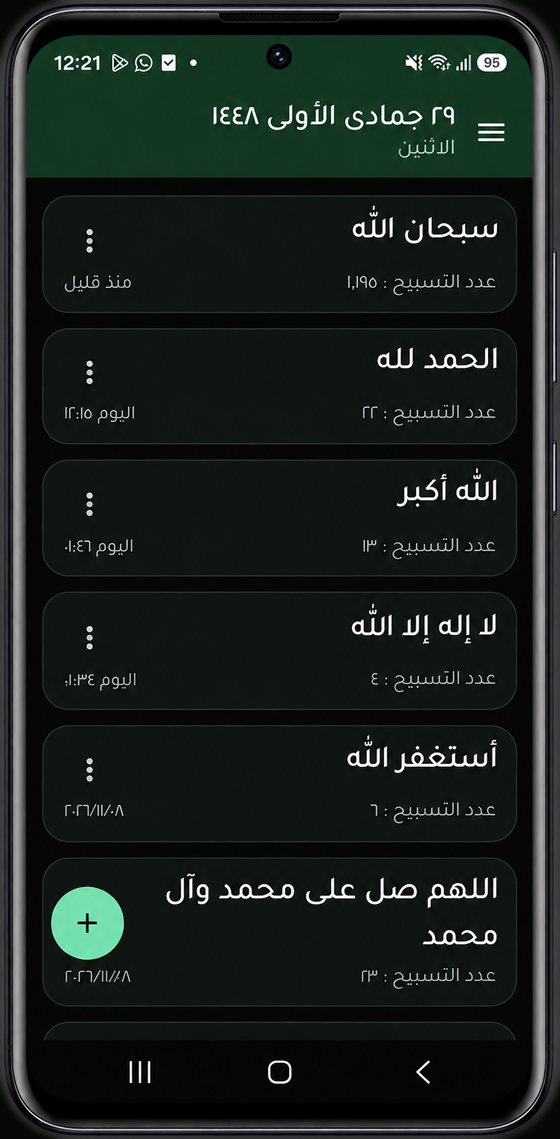
One list that holds all your adhkar.
-
The top bar
The Hijri date and the weekday, at the top of the list.
-
Last-used label
Under every dhikr: 'a moment ago', today's time, or the date.
-
Quick add
The round green button opens the add-dhikr dialog.
05 · Install
Installing on Android, step by step.
-
1
Download the file. Get
Misbaha-1.0.0.apkonto your Android phone. -
2
Open it from your downloads. If Android says installs from this source are blocked, tap Settings and allow your browser or your Files app to install apps, then go back to the download.
-
3
Tap Install. If Google Play Protect shows a warning because the app is not from the Play Store, tap More details, then Install anyway.
-
4
Open Misbaha and begin. You can turn the 'install unknown apps' permission back off for your browser now, if you like.
On a computer? Send the APK file to your phone, or open this page on the phone and download it there.
06 · Privacy and source
Open source, lightweight, and offline.
The app's source code is public on GitHub, so anyone can read it and check what it does.
-
The app never asks for the internet permission, so it cannot send anything anywhere.
-
No ads, no analytics, no accounts, no tracking. Nothing watches how you use it.
-
Your data stays on your phone: your counts, your adhkar, and your settings never leave your device.
The app is built with Kotlin and Jetpack Compose.
APK file fingerprint (SHA-256)
9a606a4b0fd45133313d3bfebb0f2e75b6653a62efe25c0fc00769c42817b2ad
To confirm the file you downloaded is the same one I share here, compare its fingerprint after downloading:
On Windows
certutil -hashfile Misbaha-1.0.0.apk SHA256
On Linux and macOS
sha256sum Misbaha-1.0.0.apk
07 · FAQ
Questions people ask before installing.
Why is it not on Google Play?
I share it directly as an APK file from this site. Installing outside the store takes one extra step — described in the install section above — and you can verify the file by comparing the SHA-256 fingerprint shown on this page.
Is it free?
Yes, completely: no ads, no purchases, no account.
Is the source code public?
Yes. The app is open source, its repository is public on GitHub, and you can read every line of it.
Does it need internet?
No. It doesn't ask for the internet permission in the first place; everything happens on your phone.
Will my counts be lost if I close the app or restart my phone?
No. Your total is stored on your phone and only changes if you reset it yourself, and installing a newer version on top normally keeps your data. Uninstalling the app or clearing its data is the only thing that erases it.
Does it work on iPhone?
No. It is an Android app (Android 8.0 or newer).
How do I add my own adhkar?
From the home screen, tap the round green button, type the dhikr the way you want it to appear in the list, then tap Save. You can edit or delete it later, and it behaves exactly like a built-in one.